Variable Data Printing Explained: How to Personalize 10,000 Mailers Without 10,000 Designs
Learn how variable data printing (VDP) lets you personalize every piece in a print run — names, images, offers, QR codes — without creating separate files. A practical guide for marketers, nonprofits, and small businesses.
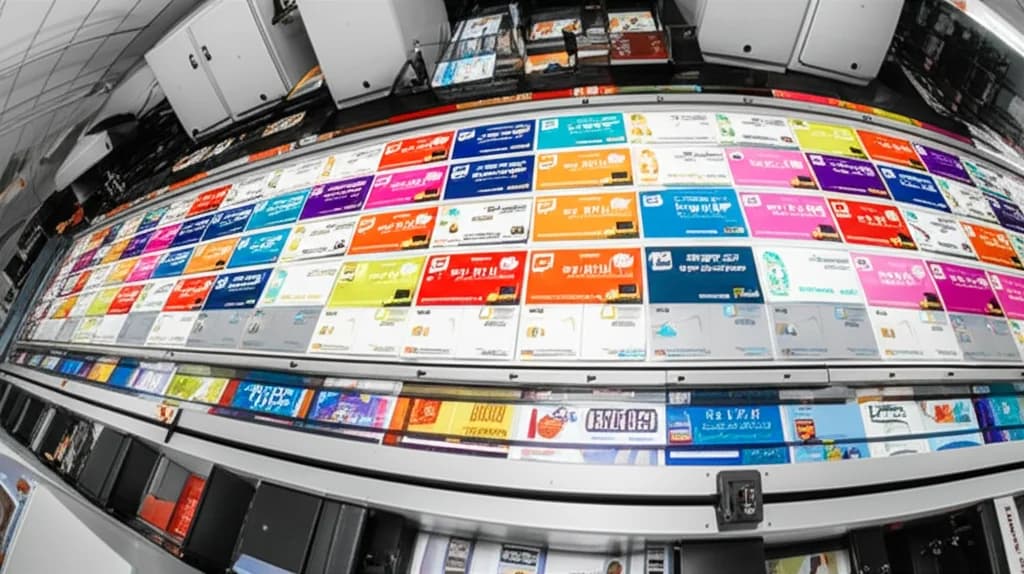
You need to send 10,000 postcards. Each one has a different name, a different address, and ideally a different offer based on what the recipient actually bought last time. In the old world, that meant 10,000 separate print files — or, more realistically, one generic "Dear Valued Customer" piece that everyone ignores.
Variable data printing (VDP) changes the equation entirely. It lets you personalize every single piece in a print run — text, images, barcodes, QR codes, even colors — without stopping the press or creating separate files.
The Short Answer
Variable data printing uses a digital press + a data file (spreadsheet or database) to automatically swap out text, images, or codes on each printed piece. You design one template, connect your data, and the press produces thousands of unique pieces in a single run. Response rates typically increase 30–50% over static mail.
How Variable Data Printing Works
At its core, VDP is surprisingly simple. You need three things:
A Design Template
Your base design with placeholder fields — think of it like a mail merge document. The layout, colors, and static elements stay the same. The variable fields change per piece.
A Data Source
A spreadsheet (CSV or Excel) or database with one row per recipient. Each column maps to a variable field: name, address, offer code, image filename, QR code URL, etc.
A Digital Press
Because every piece is different, VDP requires a digital press (not offset). Digital presses print directly from file to paper with no fixed plates, so each impression can be unique.
The software merges your template with your data, generates a unique PDF for each record, and streams them to the press in sequence. The press never stops — it just prints one unique piece after another at full speed.
What Can You Personalize?
Almost anything. Here's what VDP commonly handles:
| Element | Example | Impact |
|---|---|---|
| Recipient name | "Dear Sarah" vs "Dear Valued Customer" | Immediate attention and trust |
| Mailing address | USPS-formatted addresses per recipient | Eliminates labels, cleaner look |
| Offer or discount | "20% off your next oil change" vs "Free tire rotation" | Targeted offers convert 2–3× better |
| Images | Different product photos by customer segment | Visual relevance boosts engagement |
| QR codes | Unique URL per recipient for tracking | Measurable response + attribution |
| Barcodes | Serial numbers, membership IDs, ticket codes | Fraud prevention + tracking |
| Maps | Nearest store location per ZIP code | Drives foot traffic to closest location |
| Colors / design variants | Different color schemes by demographic | A/B testing within a single run |
Pro tip: Start simple. Even just adding a first name and a personalized offer code to an otherwise static postcard can increase response rates by 30% or more. You don't need to personalize everything at once.
The Business Case: Why Personalization Pays Off
Generic mail gets thrown away. Personalized mail gets read. The numbers back this up consistently:
36%
Higher response rate for personalized direct mail vs generic (DMA)
50%
Of consumers say personalized content increases purchase intent (Epsilon)
5.3%
Average direct mail response rate — vs 0.6% for email (ANA/DMA)
Direct mail already outperforms email on response rates. Add personalization on top, and you have one of the most effective marketing channels available — especially for local businesses targeting specific neighborhoods or customer segments.
Real-World VDP Use Cases
Variable data printing isn't just for Fortune 500 companies. Here's how small and mid-size businesses use it every day:
Auto Dealerships & Service Centers
Send service reminders with the customer's name, vehicle model, last service date, and a targeted offer. "Sarah, your 2022 Camry is due for a 30K mile service — here's $50 off." Response rates: 3–8% vs under 1% for generic mailers.
Restaurants & Local Businesses
Birthday postcards with the customer's name and a free dessert offer. Neighborhood-specific promotions with the nearest location highlighted on a map. "Happy Birthday, Michael! Enjoy a free appetizer at our Pasadena location."
Real Estate Agents
Just-sold postcards with the agent's photo, the specific property address, sale price, and neighborhood name. Every card is unique to the listing and the ZIP code it's mailed to.
Nonprofits & Fundraising
Donation appeals with the donor's name, giving history, and a suggested amount based on their last gift. "Thank you for your $250 gift last year, Maria. Can we count on $275 this year?" Personalized asks raise 2–3× more than generic ones.
Events & Ticketing
Conference badges, event tickets, and invitations with unique attendee names, QR codes for check-in, table assignments, and personalized schedules. Print 500 unique badges in one run.
E-commerce & Subscription Boxes
Personalized thank-you cards, packing slips with customer names, and unique discount codes for the next order. Makes every unboxing feel personal at scale.
How to Prepare Your Data for VDP
The quality of your variable data printing is only as good as your data. Here's how to get it right:
Data Preparation Checklist
- ✓Clean your list: Remove duplicates, fix misspellings, standardize formatting (Mr./Mrs., state abbreviations, ZIP+4)
- ✓CASS certify addresses: Run your mailing list through USPS CASS certification to fix bad addresses and qualify for postal discounts
- ✓Use CSV or Excel: One row per recipient, one column per variable field. Column headers should clearly label each field (FirstName, LastName, Address1, OfferCode, etc.)
- ✓Handle empty fields: Decide what happens if a field is blank. Does "Dear [FirstName]" become "Dear Friend" or "Dear Valued Customer"?
- ✓Test with a sample: Before printing 10,000 pieces, proof a sample of 10–20 records that include edge cases (long names, missing fields, international characters)
- ✓Image references: If swapping images per record, include a column with the filename (e.g., "product-red.jpg") and provide all images to your printer in a folder
Pro tip: The biggest VDP disaster is dirty data. "SARAH JOHNSON" and "sarah johnson" and "Sarah Johnson" (double space) are three different records to a computer. Clean your data before anything else — it's the single most important step.
VDP Cost Breakdown: What to Expect
Variable data printing costs more per unit than static printing, but the ROI from higher response rates almost always justifies the premium. Here's what typical VDP jobs cost:
| Project | Static Cost/Unit | VDP Cost/Unit | Premium |
|---|---|---|---|
| Postcards (5,000) | $0.12–$0.18 | $0.18–$0.30 | +50–65% |
| Letters (2,500) | $0.15–$0.25 | $0.25–$0.40 | +60–70% |
| Brochures (1,000) | $0.45–$0.75 | $0.65–$1.10 | +45–55% |
| Event badges (500) | $0.30–$0.50 | $0.50–$0.80 | +60–70% |
The per-unit premium for VDP ranges from 45–70% over static printing. But if personalization doubles your response rate — from 2% to 4% on a 5,000-piece mailing — the cost per conversion actually drops.
Static Mail (5,000 pcs)
Print cost: $900
Response rate: 2% (100 leads)
Cost per lead: $9.00
VDP Mail (5,000 pcs)
Print cost: $1,400
Response rate: 4% (200 leads)
Cost per lead: $7.00
Spending $500 more on printing but generating twice the leads? That's why VDP is one of the best-kept secrets in direct marketing.
VDP vs. Mail Merge: What's the Difference?
Mail merge (like in Microsoft Word) can swap text fields — names, addresses, basic content. VDP goes much further:
| Capability | Mail Merge | Variable Data Printing |
|---|---|---|
| Swap text fields | ✓ | ✓ |
| Swap images per record | ✗ | ✓ |
| Generate unique QR/barcodes | ✗ | ✓ |
| Conditional logic (if/then) | Limited | ✓ (show/hide elements by rules) |
| Color/layout changes per record | ✗ | ✓ |
| Professional print quality | Laser/inkjet (office grade) | Commercial digital press (production grade) |
| Volume handling | Hundreds | Tens of thousands |
Think of mail merge as VDP's simpler cousin. It handles basic text personalization on a desktop printer. VDP handles complex, multi-element personalization on a commercial press at production speed.
Software Used for Variable Data Printing
If you're curious about the technical side, here are the tools print shops use to produce VDP jobs:
- XMPie (by Xerox): The industry leader for complex VDP campaigns. Handles text, images, conditional logic, and cross-media (print + email + web personalization).
- FusionPro (by MarcomCentral): Popular for mid-market VDP. Integrates with Adobe InDesign and handles rules-based personalization.
- PrintShop Mail Connect: Good for straightforward VDP jobs. Supports data-driven documents with image and text personalization.
- Adobe InDesign Data Merge: Built-in feature for basic VDP. Handles text fields and simple image swaps. Good for small runs and proofing.
- EFI FreeForm: Built into many digital press RIPs. Efficient for high-volume VDP because it caches static elements and only swaps variable data.
As a customer, you don't need to know any of these tools. You provide the design and the data. Your print shop handles the merge and production. But it's useful to know the capability exists so you can ask for it.
How to Get Started With VDP at Your Print Shop
Ready to try variable data printing? Here's the step-by-step process:
Define your variable fields. What changes per piece? Just the name and address? Or names, offers, images, and QR codes? Start with what your data supports.
Clean and format your data. Export from your CRM, clean duplicates, standardize formatting, and CASS-certify addresses if mailing.
Design your template. Create a print-ready design (CMYK, 300 DPI, bleed) with clearly marked variable fields. Your printer can help with this.
Send both to your printer. Provide the template file and the data file (CSV/Excel). Include any variable images in a clearly labeled folder.
Review proofs. Your printer will generate sample proofs showing several records. Check for data accuracy, field overflow, image placement, and edge cases.
Approve and print. Once proofs look good, your printer runs the full job. Turnaround for VDP is typically 3–7 business days depending on quantity and complexity.
Common VDP Mistakes to Avoid
Dirty data. Misspelled names, duplicate records, and invalid addresses waste your printing budget and damage your brand. Always clean first.
Not accounting for text overflow. "Bob" and "Bartholomew" take very different amounts of space. Design your template with the longest possible field values in mind.
Low-resolution variable images. If you're swapping product photos per record, every image needs to be 300 DPI at print size. One blurry image ruins that piece.
Skipping the proof. With 10,000 unique pieces, you can't check each one. But you should proof a representative sample — especially records with edge-case data.
Over-personalizing. There's a fine line between "relevant" and "creepy." Using a first name and a tailored offer is effective. Using their exact purchase history, browsing behavior, and location data feels invasive. Keep it helpful, not surveillance-y.
VDP + EDDM: A Powerful Combination for Local Businesses
If you're a local business in the San Gabriel Valley or greater Los Angeles area, consider combining VDP with EDDM (Every Door Direct Mail). EDDM lets you mail to every address in specific postal routes without needing a mailing list — and at discounted postage rates (as low as $0.22 per piece).
While traditional EDDM is the same piece to every door, you can use VDP to create route-level personalization: different offers or messaging for different neighborhoods, ZIP codes, or demographics within your EDDM campaign. It's the best of both worlds — broad reach with targeted messaging.
Ready to Try Variable Data Printing?
At First Global Graphics, we run VDP jobs daily on our digital presses in Irwindale. From personalized postcards to serialized event badges, we handle the entire process — template setup, data merge, proofing, printing, and mailing.
Bring us your design and your data, and we'll show you what's possible. Not sure where to start? We'll help you identify which variable fields will have the biggest impact on your response rates.
Call (626) 960-4081 or request a quote online. Let's make your next print campaign personal.
Frequently Asked Questions
What is variable data printing (VDP)?+
Variable data printing is a digital printing technique that personalizes each piece in a print run using data from a spreadsheet or database. Text, images, barcodes, QR codes, and even design elements can change from one piece to the next without stopping the press. It's commonly used for direct mail, event materials, and personalized marketing.
How much does variable data printing cost?+
VDP typically costs 45–70% more per unit than static printing. For example, 5,000 personalized postcards might cost $0.18–$0.30 each vs $0.12–$0.18 for static postcards. However, the higher response rates (often 30–50% better) mean the cost per lead or conversion is usually lower with VDP.
What file format do I need for variable data printing?+
You need two things: a print-ready design template (PDF in CMYK, 300 DPI, with bleed) and a data file (CSV or Excel spreadsheet) with one row per recipient and columns for each variable field. If swapping images, provide all image files in a separate folder at 300 DPI.
Can I personalize images with variable data printing?+
Yes. VDP can swap images on a per-record basis. For example, a car dealership could show each recipient's specific vehicle model, or a retailer could display products matching the customer's purchase history. Each image must be 300 DPI at the intended print size.
What is the difference between mail merge and variable data printing?+
Mail merge (like in Word) handles basic text substitution and prints on office-grade equipment. Variable data printing handles text, images, QR codes, barcodes, conditional logic, and color changes on commercial-grade digital presses at production speeds. VDP is mail merge's much more capable, professional-grade counterpart.
Does First Global Graphics offer variable data printing?+
Yes. First Global Graphics in Irwindale, CA runs variable data printing jobs daily on our digital presses. We handle template setup, data merging, proofing, printing, and mailing services. Call (626) 960-4081 or request a quote online to get started.
Ready to start your print project?
Get a free quote or call us at (626) 960-4081