Self-Publishing Your Book: How to Work With a Commercial Printer
Learn how to self-publish your book using a commercial printer. This guide covers file preparation, paper selection, binding options, cost comparisons (POD vs offset), ISBNs, and how to get the best results from your local print shop.
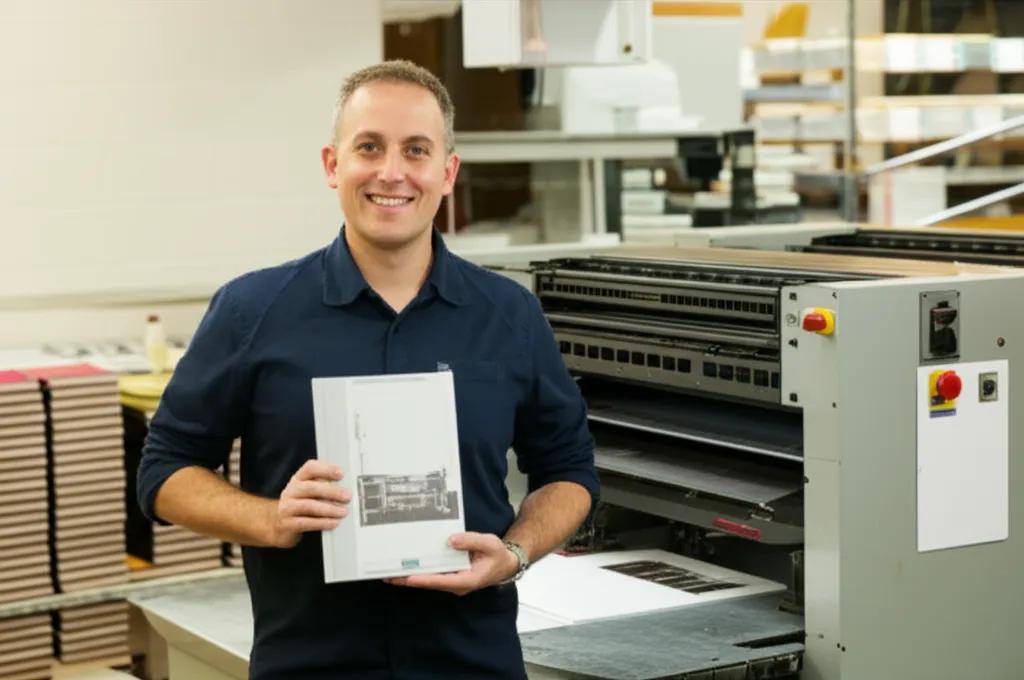
You've written the book. Edited it. Designed the cover. Now comes the part most self-published authors dread: actually printing the thing. Print-on-demand platforms like Amazon KDP make it easy to list a book — but "easy" and "best quality" aren't the same thing. If you want full control over your book's look, feel, and per-unit cost, working with a commercial printer is the move.
The Short Answer
Print-on-demand is great for testing and low-volume sales. But once you need 250+ copies, a commercial printer delivers better quality, lower per-unit costs, and far more options for paper, binding, and finishing. The sweet spot for most self-publishers: offset printing at 500–2,000 copies.
This guide walks you through every step of working with a commercial printer — from preparing your files to picking up your finished books.
Print-on-Demand vs. Commercial Printing: A Real Cost Comparison
The first question every self-published author asks: "Should I use print-on-demand or a commercial printer?" Here's how the economics actually work.
| Factor | Print-on-Demand (POD) | Commercial Printer |
|---|---|---|
| Upfront cost | $0 (pay per order) | $1,500–$5,000+ (bulk order) |
| Per-unit cost (200-page paperback) | $3.50–$5.50 | $1.50–$3.00 (at 1,000 copies) |
| Paper & binding options | Limited (2–3 stocks) | Unlimited (custom paper, finishes, binding) |
| Color accuracy | Good (digital toner) | Excellent (offset + Pantone matching) |
| Inventory risk | None | You store unsold copies |
| Break-even point | Commercial printing wins at 250–500+ copies | |
Pro tip: Many successful self-publishers use both — POD for online marketplaces (Amazon, Barnes & Noble) and commercial printing for events, bookstores, direct sales, and author copies. You're not locked into one method.
Step 1: Prepare Your Print-Ready Files
Commercial printers work from print-ready PDF files. Getting this right upfront saves you revision fees and delays. Here's the checklist:
File format: PDF/X-1a or PDF/X-4. These standards embed all fonts and images, ensuring what you see is what prints.
Color mode: CMYK, not RGB. Your screen uses RGB; printers use CMYK. Converting after the fact shifts colors unpredictably.
Resolution: All images at 300 DPI minimum. Low-res images look fine on screen but print blurry.
Bleed: 0.125" (3mm) on all sides. This extra margin gets trimmed off — without it, you'll get white edges where you don't want them.
Safety margin: Keep all text and critical content at least 0.25" (6mm) from the trim edge. Things shift slightly during cutting.
Fonts: Embedded or outlined. If a font isn't embedded, the printer's system substitutes a different one — and your layout breaks.
Separate cover file: Your cover (front, spine, back) should be a single flat PDF with spine width calculated from your page count and paper thickness. Your printer will tell you the exact spine width.
Step 2: Choose Your Trim Size
Trim size is the finished dimensions of your book. Choosing a standard size keeps costs down because it runs efficiently on standard press sheets.
| Trim Size | Common Use | Notes |
|---|---|---|
| 5" × 8" | Novels, memoirs | Compact, popular for fiction |
| 5.5" × 8.5" | Self-help, business books | Half-letter, very common |
| 6" × 9" | Non-fiction, trade paperback | Industry standard for non-fiction |
| 7" × 10" | Textbooks, workbooks | Good for charts and images |
| 8.5" × 11" | Manuals, photo books | Full letter size, higher paper cost |
Pro tip: Before committing to a custom size, ask your printer for a quote on the closest standard size too. Custom trim sizes can increase costs by 15–30% due to extra paper waste and setup time.
Step 3: Select Your Paper
Paper choice affects how your book looks, feels, and costs more than almost any other decision. Here are the key variables:
Text-Heavy Books (Novels, Non-Fiction)
- 50–60 lb uncoated offset
- Cream or white (cream reduces eye strain)
- Opaque enough to prevent show-through
- Cost: ~$0.01–0.02 per page
Image-Heavy Books (Photo, Art, Cookbook)
- 80–100 lb coated (gloss or matte)
- White for best color reproduction
- Heavier stock prevents curling
- Cost: ~$0.03–0.06 per page
Your printer can provide paper samples — always request them before committing. The difference between two seemingly similar stocks is obvious once you hold them side by side.
Step 4: Pick Your Binding Method
Your binding choice impacts durability, appearance, and cost. Here's a quick guide for self-publishers:
Perfect binding (paperback): The most popular choice for self-published books. Clean square spine, professional look, works for 48–600 pages. Cost: $0.50–$1.50 per book at volume.
Case binding (hardcover): Premium option for coffee table books, children's books, and special editions. Costs 2–3× more than perfect binding but signals quality. Minimum orders usually 150+ copies.
Saddle stitch: Best for short booklets (8–64 pages) — think poetry chapbooks, children's activity books, or short guides. Cheapest option by far.
Spiral or Wire-O: Great for workbooks, journals, and cookbooks that need to lay flat. Not a bookstore standard, but functional and affordable.
Need a deeper dive? Read our Complete Guide to Book Binding Methods for a detailed comparison of all seven common options.
Step 5: Get Your ISBN
An ISBN (International Standard Book Number) is the 13-digit identifier that bookstores, libraries, and distributors use to track your book. Here's what self-publishers need to know:
Buy Your Own ISBN
- $125 for one / $295 for 10 (Bowker, US)
- You're listed as the publisher
- Full control and portability
- Recommended for serious authors
Free ISBN (from POD platform)
- Amazon KDP, IngramSpark offer free ISBNs
- Platform is listed as publisher/imprint
- Can't transfer to another printer
- Fine for Amazon-only distribution
Each Format Needs Its Own
- Paperback = 1 ISBN
- Hardcover = different ISBN
- eBook = different ISBN
- Buying in bulk saves money
Important
Your commercial printer does not provide ISBNs — that's on you. Purchase yours from Bowker (myidentifiers.com) in the US, or your country's national ISBN agency. Have your ISBN and barcode ready before sending final files to the printer.
Step 6: Request Quotes and Compare
Always get quotes from at least 2–3 commercial printers. Here's what to include in your quote request:
Quantity: Ask for 2–3 quantity tiers (e.g., 500, 1,000, 2,000) to see the per-unit price drop.
Trim size and page count
Interior printing: Black-and-white or full color? One side or both?
Paper stock: Specify weight and coating for both interior and cover.
Binding method
Cover finish: Gloss lamination, matte lamination, soft-touch, spot UV?
Turnaround time and shipping
Step 7: Review the Proof
Never skip the proof. Most commercial printers offer two types:
Digital Proof (PDF)
- Free or very low cost
- Good for catching layout errors
- Does NOT show actual color or paper
- Minimum you should request
Physical Proof (Hard Proof)
- $50–$150 + shipping
- Printed on actual stock with actual binding
- Shows true color, paper feel, and binding
- Highly recommended for first print runs
Pro tip: When reviewing your proof, check page order, margins (especially the gutter), image quality, spine text alignment, and barcode scannability. Flip through every single page — errors hide in the middle.
Step 8: Print, Ship, and Sell
Once you approve the proof, your printer runs the full order. Typical turnaround times:
| Print Method | Typical Turnaround | Rush Available? |
|---|---|---|
| Digital (short run) | 3–5 business days | Yes (1–2 days) |
| Offset (500+ copies) | 7–10 business days | Sometimes (5–7 days) |
| Hardcover (case bound) | 10–15 business days | Limited |
Plan your launch date backward from these timelines — and add a buffer for shipping and proof revisions. Many self-publishers order 4–6 weeks before their launch.
Common Mistakes Self-Publishers Make With Printers
Sending RGB files instead of CMYK. Your vibrant cover will look muddy and dull. Always convert to CMYK before sending.
No bleed on the cover. Without bleed, you get thin white lines along trimmed edges. Always include 0.125" bleed.
Wrong spine width. Spine width depends on page count AND paper thickness. Get the exact measurement from your printer — don't guess.
Ordering too few copies. The jump from 250 to 500 copies might only add $200 to a $1,500 order. Always get tiered quotes.
Skipping the physical proof. A $75 proof can save you from a $3,000 reprint. Always get one for your first run.
Why Work With a Local Commercial Printer?
Online print brokers can be convenient, but there are real advantages to working with a local printer — especially for self-publishers:
Local Printer Advantages
- Visit the shop, see paper samples in person
- Press checks — watch your book being printed
- No shipping delays or damage risk
- Face-to-face consultation on specs
- Easy reorders and small adjustments
- Support a local business
Online Broker Advantages
- May be cheaper for very large runs
- Automated ordering process
- Good for repeat orders of the same spec
For your first book — where decisions about paper, binding, and finishing are new — the ability to walk into a shop, hold samples, and talk to an expert is invaluable.
Ready to Print Your Book?
At First Global Graphics, we've printed books for self-published authors, independent publishers, schools, churches, and businesses for over 30 years. From a 50-copy poetry chapbook to a 5,000-copy trade paperback, we handle it all in-house at our Irwindale facility — no outsourcing, no surprises.
Bring us your manuscript and we'll help you choose the right paper, binding, and finish. We provide free consultations, paper samples, and competitive quotes at multiple quantity tiers.
Call (626) 960-4081 or request a quote online. Let's turn your manuscript into a book you're proud to hold.
Frequently Asked Questions
How much does it cost to print a self-published book?+
Costs vary based on page count, trim size, paper, binding, and quantity. A typical 200-page, 6×9 paperback costs $3.50–$5.50 per unit with print-on-demand, or $1.50–$3.00 per unit at 1,000 copies with a commercial printer. Hardcover books cost 2–3× more. Always request quotes at multiple quantity tiers to find the best value.
What is the minimum number of books a commercial printer will print?+
Most commercial printers have minimums of 100–250 copies for offset printing. Digital printing can handle runs as low as 25–50 copies, though per-unit costs are higher. At First Global Graphics, we work with self-publishers at a variety of quantities and can recommend the most cost-effective method for your run size.
Should I use print-on-demand or a commercial printer?+
Use print-on-demand (POD) if you need zero upfront investment, sell primarily through Amazon, and expect low or unpredictable sales volume. Use a commercial printer when you need 250+ copies, want premium paper and binding options, or sell at events and bookstores where per-unit cost matters. Many authors use both — POD for online sales and commercial printing for direct distribution.
What file format do I need for commercial book printing?+
Submit print-ready PDF files in PDF/X-1a or PDF/X-4 format. Files should be in CMYK color mode with 300 DPI images, 0.125-inch bleed on all sides, and all fonts embedded or outlined. Your cover should be a separate flat PDF that includes front, spine, and back panels with the correct spine width.
Do I need an ISBN to print my book?+
You don't need an ISBN to physically print a book, but you need one to sell through bookstores, libraries, or online retailers. In the US, ISBNs are purchased through Bowker (myidentifiers.com) — $125 for one or $295 for 10. Each format (paperback, hardcover, ebook) requires its own ISBN. Your printer does not provide ISBNs.
How long does it take to print a self-published book?+
Digital printing (short runs) takes 3–5 business days. Offset printing (500+ copies) takes 7–10 business days. Hardcover case-bound books take 10–15 business days. Add time for proof review (3–5 days) and shipping. Most self-publishers should plan 4–6 weeks from final files to books in hand.
Ready to start your print project?
Get a free quote or call us at (626) 960-4081